Buy a pack or a monthly plan
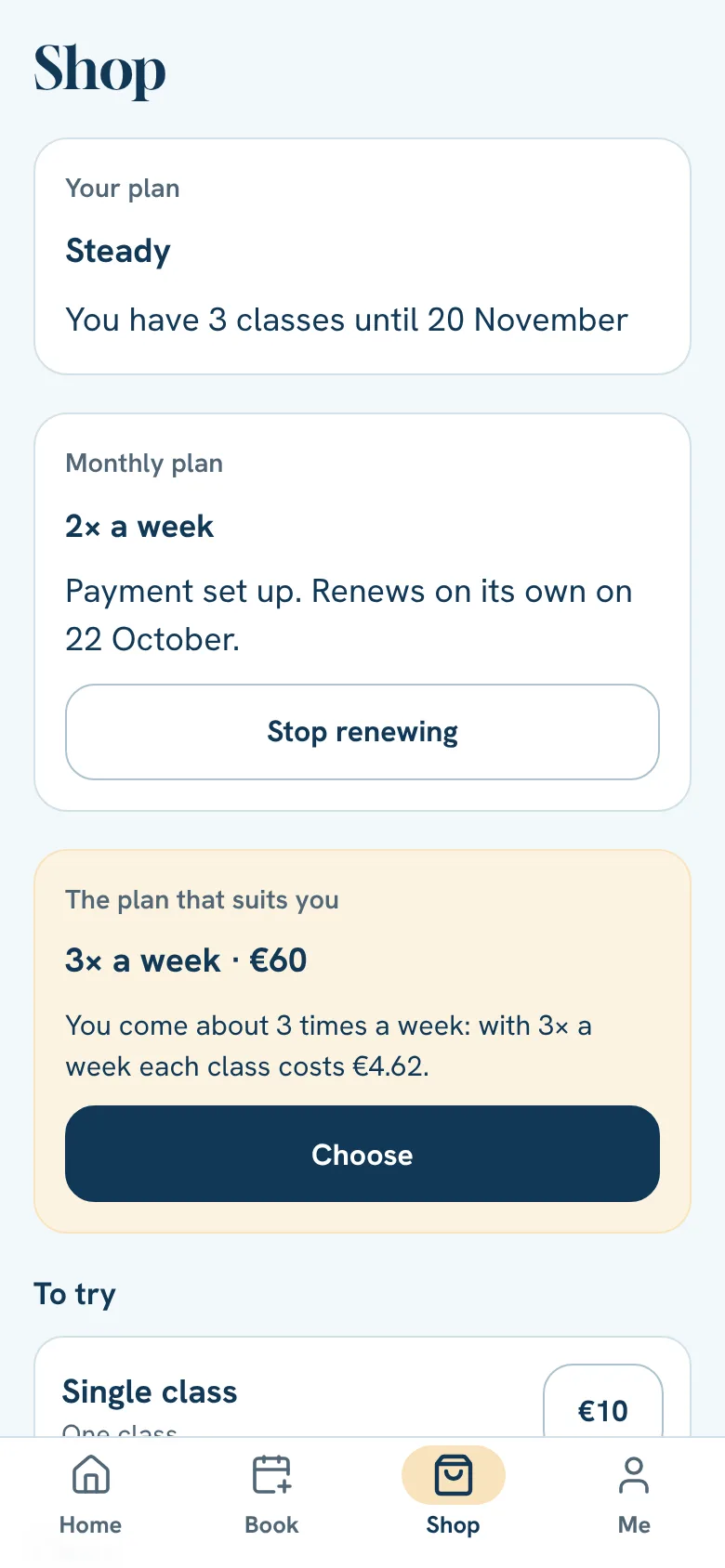
In the Shop you pick the plan that suits how often you come.
- 1
Tap Shop.
- 2
See your plan, the one we recommend for how often you come, all plans and gift cards.
- 3
Tap the plan you want.
- 4
Pay (see the topic “Pay and use credit”).
Packs
A pack is a number of classes to use within its validity, which you see in the Shop before you pay.
- 1
When you buy a pack or a single class, the app asks “Keep your card?”.
- 2
Answer Yes, keep it or No, just this time and go on to pay.
- 3
If you said yes and paid by card or Revolut Pay, it is kept.
- 4
Next time, the Shop shows Buy again, with your plan, its price and the card. Tap it, confirm with Confirm and pay and it's yours, without going to the payment page.
Monthly plans
A monthly plan gives you the same number of times a week and renews every month. You cancel whenever you like and keep the classes until the end of the paid month.
- Renews on its own, if you paid by card or Revolut Pay. A few days before, you get the notice “Your monthly plan renews on 12 November.” and the card is charged on the last day.
- Set up payment: if your monthly plan came from the studio's old system, or you pay it by MB WAY or Multibanco, tap Set up payment (on Home or in the Shop) and save your card or Revolut Pay. Nothing is charged then. After that the plan renews on its own.
- With MB WAY or Multibanco: a few days before the end you get a payment request and Home shows Monthly plan to pay, with a Pay button. The day before you get a reminder and, once the day has passed, you can still pay for a few days.
Still stuck?Write to us and we’ll answer.WhatsApp