Book a class
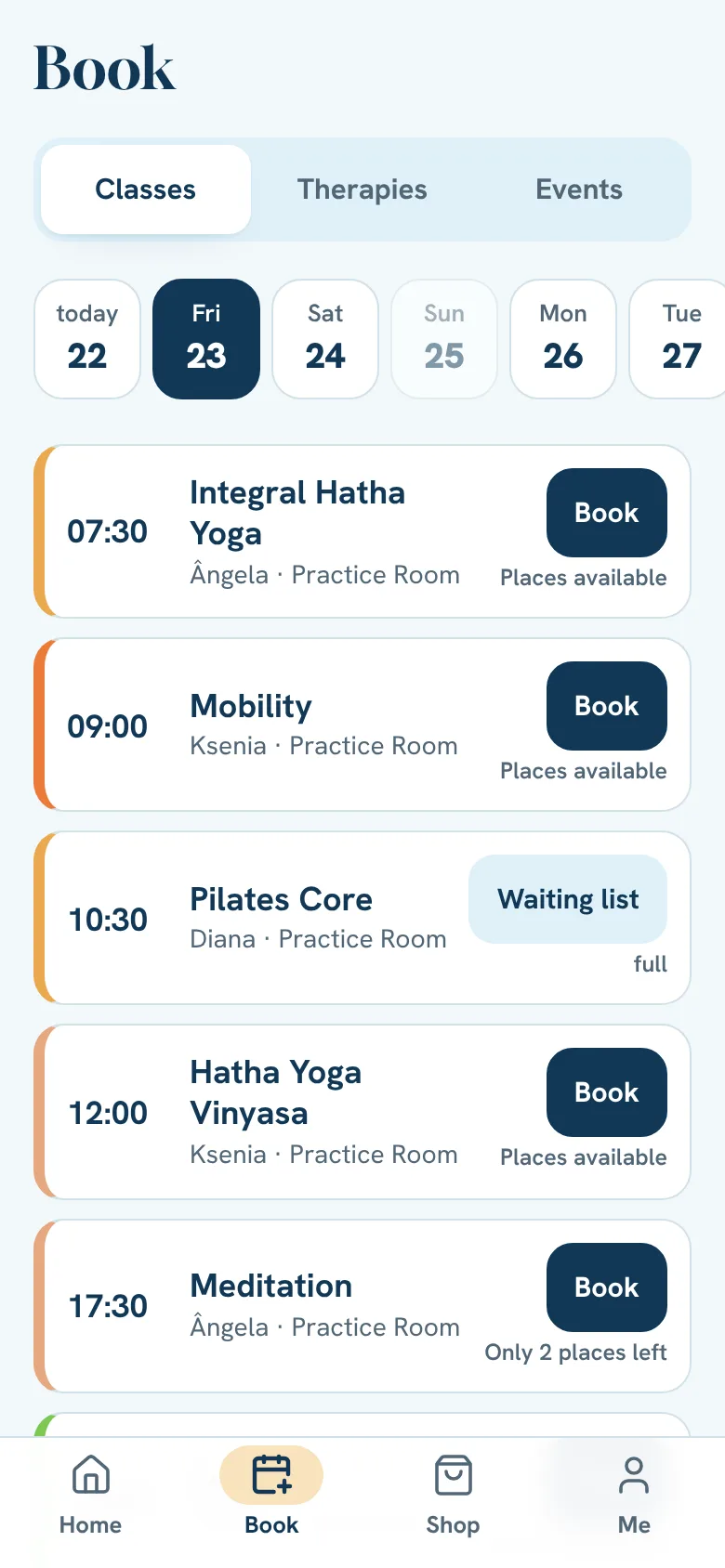
Pick the day, pick the class and tap Book.
- 1
Tap Book.
- 2
Pick the day, at the top.
- 3
See each class's state: “Places available”, “Only 2 places left”, full or booked.
- 4
Tap Book on the class you want.
- 5
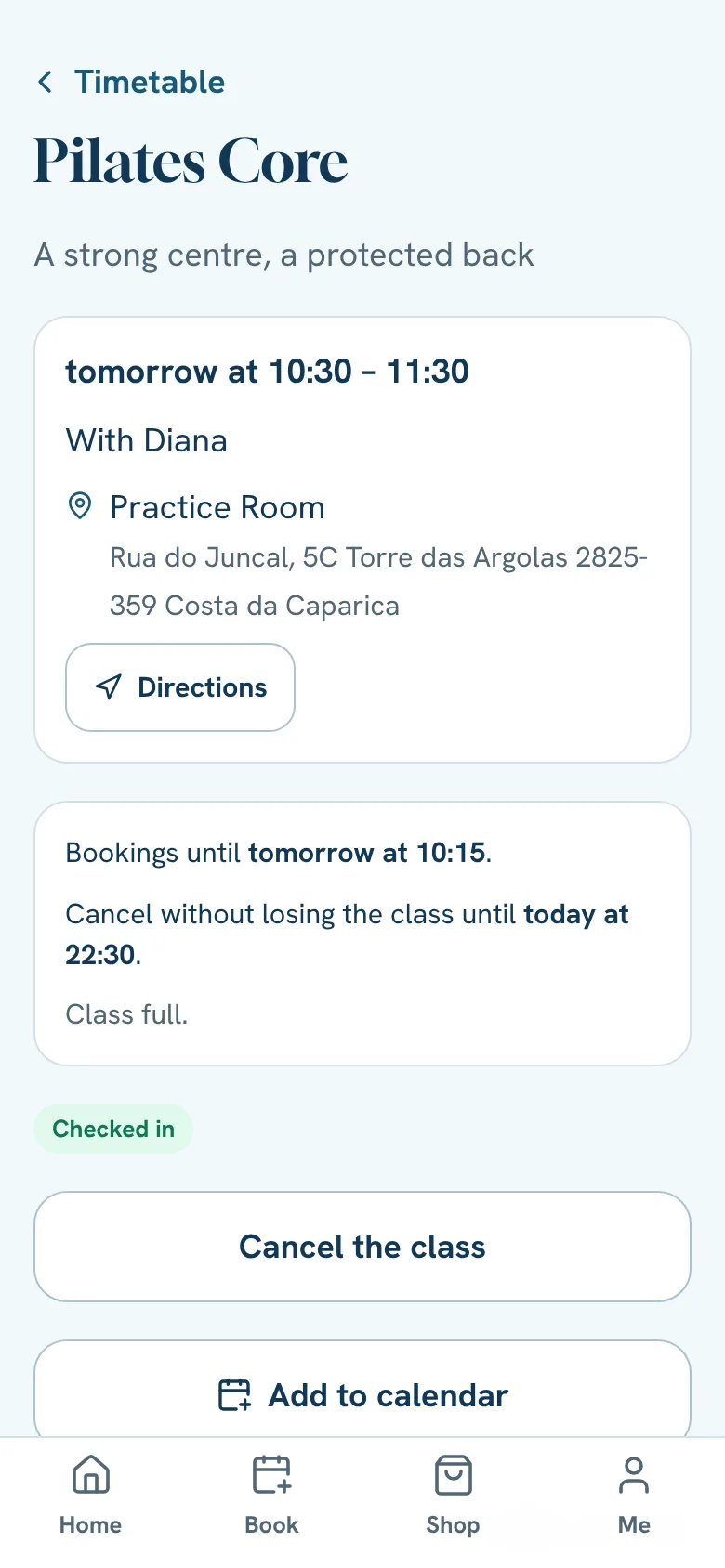
Made a mistake? Tap Undo right away.
Is it your first time?
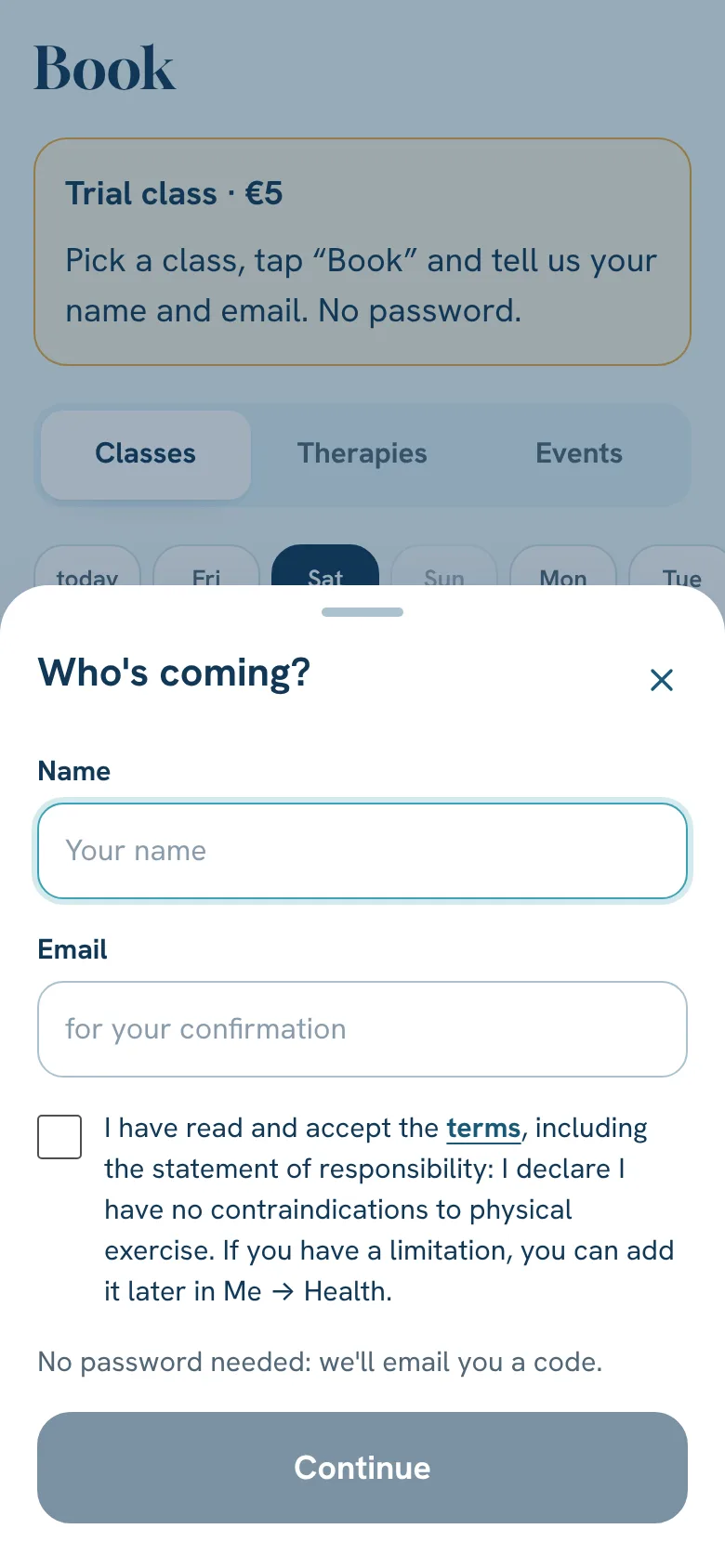
Start with the trial class (€5). You don't need an account first.
- 1
Pick the class you'd like to try.
- 2
Tap Book and choose Trial class.
- 3
Type your name and email, accept the terms and tap Continue.
- 4
Type the 6-digit code we email you and tap Continue.
- 5
Pay. The class is booked.
Room and online classes
Some classes are given in the room and also by video.
- 1
When you tap Book, choose In the room or Online.
- 2
Online takes no place in the room, has no limit and no waiting list.
- 3
The class link comes in the booking notice and on the class page, under Join the online class. On Home it only shows shortly before the class.
A class you take every week
- 1
Book the class.
- 2
When the app asks, tap Yes, every week.
- 3
We book it for you each week, while your plan has classes.
Handy extras
- Add to calendar: on the booked class, to have it in your phone's calendar too.
- Where: every class, therapy and event says where it is. Tap Directions to open your phone's maps. For classes on the beach or in the park, and events away from the studio, there is also a map with the meeting point.
Still stuck?Write to us and we’ll answer.WhatsApp